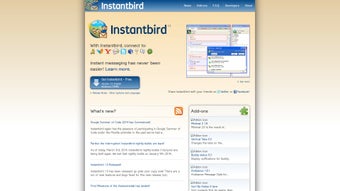

Download Instantbird – Free Multiprotocol Messenger for Mac
Overview
Instantbird is a free, lightweight instant‑messaging client built specifically for macOS users who need a single hub for multiple chat networks. In today’s fragmented communication landscape, people often juggle several accounts—MSN, Yahoo! Messenger, Google Talk, ICQ, Gadu‑Gadu, QQ, and more—each with its own desktop client or web portal.
Instantbird solves that problem by unifying these protocols under one clean, distraction‑free interface. While the project is still in its early development stage, the core experience focuses on reliable text‑based conversations without the bells and whistles that can slow down performance. There are no built‑in emoticons, avatars, or custom themes yet, which makes the app an excellent choice for users who value speed, simplicity, and privacy over flashy graphics.
The client supports a broad spectrum of protocols, including XMPP, GroupWise, MySpaceIM, Simple, Zephyr, Netsoul, and many others, allowing you to consolidate all of your contacts into a single list. This not only reduces the clutter on your desktop but also streamlines your workflow, especially for professionals who need to stay reachable across different corporate and personal networks. Instantbird’s design philosophy embraces a minimalistic look, providing a familiar chat‑window layout that macOS users will recognize instantly.
Because it is open‑source and free, there’s no hidden cost or subscription fee, making it an attractive alternative to commercial messengers that often bundle ads or require costly upgrades. Whether you’re a student coordinating study groups, a freelancer handling client chats, or simply a casual user who prefers a tidy inbox, Instantbird offers a solid foundation for secure, multi‑account instant messaging on your Mac.
Key Features and What Sets Instantbird Apart
- True Multiprotocol Support: Connect to over a dozen messaging services—including MSN, Yahoo! Messenger, Google Talk, ICQ, Gadu‑Gadu, QQ, and XMPP—without installing separate applications.
- Native macOS Integration: The client adopts macOS design guidelines, providing smooth window management, native notifications, and support for the system’s dark mode.
- Lightweight Architecture: With a focus on core chat functionality, Instantbird consumes minimal RAM and CPU, leaving resources free for other tasks.
- Open‑Source and Free: Distributed under a permissive license, the software can be audited, modified, and shared without any licensing fees.
- Secure Connections: All supported protocols use TLS/SSL encryption where available, ensuring that your conversations stay private.
- Contact Consolidation: Merge contacts from different networks into a single address book, reducing duplication and simplifying management.
- Simple User Interface: No cluttered sidebars or intrusive pop‑ups; just a clean chat window that keeps the conversation front and center.
- Extensible via Plugins (Future Roadmap): While the current release is minimalist, the architecture allows developers to add features like emoticons or file sharing later.
The strength of Instantbird lies in its commitment to “just chat.” For users who have grown weary of bloated messengers that demand constant updates, embed ads, or track usage, Instantbird offers a refreshing return to the basics. Its straightforward design reduces the learning curve—new users can add an account in just a few clicks, and the contact list updates automatically. Because the client does not store message history locally unless you enable it, it also respects user privacy out of the box.
The ability to switch between protocols seamlessly is particularly valuable for professionals who need to maintain a presence on legacy systems (like GroupWise) while also staying active on modern platforms (such as XMPP). Additionally, the fact that Instantbird runs exclusively on macOS ensures optimal performance and a consistent look that blends with other native apps. While it currently lacks advanced features like video calls or screen sharing, its roadmap hints at future expansions that will keep the core experience lightweight while adding optional enhancements.
For anyone seeking a dependable, free messenger that brings all their chat accounts together without the overhead of extra features, Instantbird is a compelling choice.
Installation, First‑Run Setup, and Compatibility
Step‑by‑Step Installation Guide
- Visit the official Instantbird website and click the Download for macOS button.
- The DMG file will mount automatically. Drag the Instantbird icon into your Applications folder.
- Open the app from the Applications folder. macOS may warn you that the app is from an unidentified developer; click Open Anyway in System Preferences → Security & Privacy.
- When the welcome screen appears, click Next to begin adding your first messaging account.
Adding and Managing Accounts
After launching Instantbird, you’ll be prompted to select a protocol from a drop‑down menu. Choose the network you wish to connect to (e.g., XMPP, MSN, or Yahoo! Messenger), then enter your username, password, and any required server settings.
The client automatically detects common server configurations for popular services, but you can manually input custom ports and encryption options if needed. Once the account is verified, it appears in the left‑hand sidebar alongside any other accounts you add. You can reorder accounts by dragging them, rename them for easier identification, or disable them temporarily without losing your login credentials.
System Requirements and Operating System Support
Instantbird is built for macOS 10.12 Sierra and later. It runs efficiently on both Intel‑based Macs and Apple Silicon (M1/M2) machines, thanks to Apple’s Rosetta 2 translation layer for the latter. The client requires a minimum of 150 MB of free disk space and at least 200 MB of RAM to operate smoothly, although typical usage stays well under 100 MB of RAM. No additional runtime environments (such as Java or .NET) are needed, as the app bundles all necessary libraries. Because Instantbird does not include a Windows or Linux version at this time, Mac users are the primary audience, but the underlying codebase is cross‑platform and may see future releases for other operating systems.
Keeping Instantbird Secure and Updated
Security updates are released periodically through the app’s built‑in updater. When a new version is available, Instantbird will display a notification badge in the menu bar. Click the badge, then follow the prompts to download and install the update automatically. Because the client relies on TLS/SSL for all supported protocols, it inherits the encryption standards of each network, ensuring end‑to‑end protection for your messages. For extra security, you can enable two‑factor authentication on the individual services you connect to (e.g., Google Talk) and store the generated app‑specific passwords within Instantbird.
Pros, Cons, FAQ, and Final Verdict
Pros & Cons
- Pros:
- Free, open‑source, and no hidden fees.
- Supports a wide range of messaging protocols in one place.
- Lightweight and fast, ideal for older Mac hardware.
- Native macOS look and feel with dark‑mode support.
- Secure TLS/SSL connections for all supported services.
- Cons:
- Lacks modern features such as video calls, file sharing, and emojis.
- Only available for macOS; Windows/Linux users must look elsewhere.
- Interface is very minimal; power users may miss customization options.
- Occasional protocol‑specific bugs due to the wide range of networks supported.
Frequently Asked Questions
Is Instantbird still actively developed?
The core project is in a preliminary stage, but the developers release security patches and occasional feature updates. Community contributions are encouraged on the GitHub repository.
Can I import contacts from other messaging apps?
Instantbird can import contacts that are already linked to the accounts you add. However, there is no bulk import tool for external CSV files at this time.
Does Instantbird store my chat history?
By default, the client does not retain conversation logs unless you enable the “Save chat history” option in the preferences. Even then, logs are stored locally on your Mac.
Is there a way to customize the look of Instantbird?
The current version focuses on a minimal UI, and theme support is planned for future releases. Users can adjust font size and window colors through the system preferences.
How do I report a bug or request a new feature?
Visit the official Instantbird GitHub page, open an issue with a detailed description, and the development team will review it. Community members often provide workarounds while awaiting official fixes.
Conclusion – Should You Download Instantbird?
If you are a macOS user looking for a free, secure, and efficient way to manage multiple chat accounts without the clutter of modern messengers, Instantbird is a strong contender. Its emphasis on core functionality, low system impact, and native macOS integration makes it especially appealing for professionals and students who need reliable text communication across diverse networks. While the lack of advanced features such as video calls or rich media may deter power users, the roadmap promises future enhancements without compromising the app’s lightweight nature.
The open‑source model ensures transparency and community‑driven improvements, giving you confidence that the software will evolve responsibly. In short, Instantbird offers a solid, no‑frills solution for anyone who values speed, privacy, and simplicity. Click the download button below, install the app, and enjoy unified messaging on your Mac today.







